Patrol Log Categories
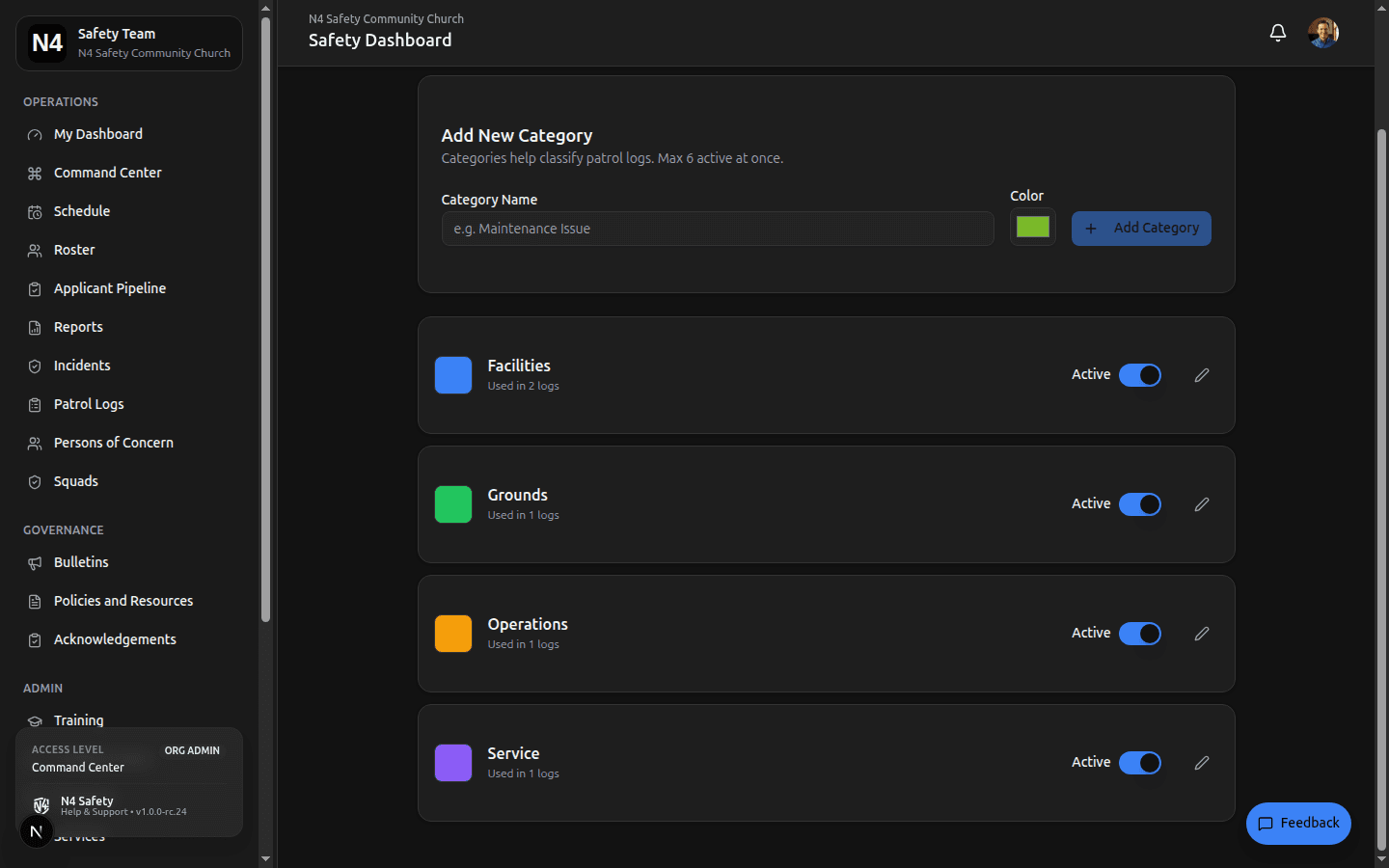
Patrol Log Categories are the tags team members apply when filing a log from the field — things like Suspicious Activity, Maintenance, Medical, or Parking. Categories are configurable per organization, with a color assigned to each for quick visual identification on the mobile quick-entry screen and in the log feed.
Accessing the Category Manager
Navigate to Admin > Settings ▸ Operations ▸ Patrol Categories (at /admin/settings/operations/patrol-categories). This page is available to Organization Administrators.
Formerly at /admin/patrol-log-categories — that URL now redirects here.
From here you can:
- Create a new category with a name and display color.
- Rename or recolor an existing category.
- Toggle a category between Active and Inactive. Inactive categories stop appearing in the quick-entry tile grid but remain attached to historical logs for reporting.
Why a Cap?
Active categories are capped at 6 per organization. The cap exists because the mobile quick-entry screen renders categories as large touch targets — when a member is logging a field observation on their phone, they need to tap once and keep moving. More than a handful of tiles defeats that purpose.
Keep it tight — aim for 4–6 active categories.
Patrol Logs are designed for quick field notes, not full reports. Every category you add is another decision the member has to make before they can write. Fewer, broader categories encourage frequent, low-friction logging — which is what makes the feature valuable for operational awareness.
If you find yourself wanting fine-grained classification, that’s usually a signal the observation should be filed as an Incident Report instead.
Configuring Categories
The step-by-step walkthrough — creating, recoloring, and deactivating categories — lives in Managing Patrol Logs.
Need More Help?
© 2026 N4 Safety. All rights reserved.